Mobile or PC: Picking the Right Geometry Dash Platform Before You Grind Hundreds of Hours
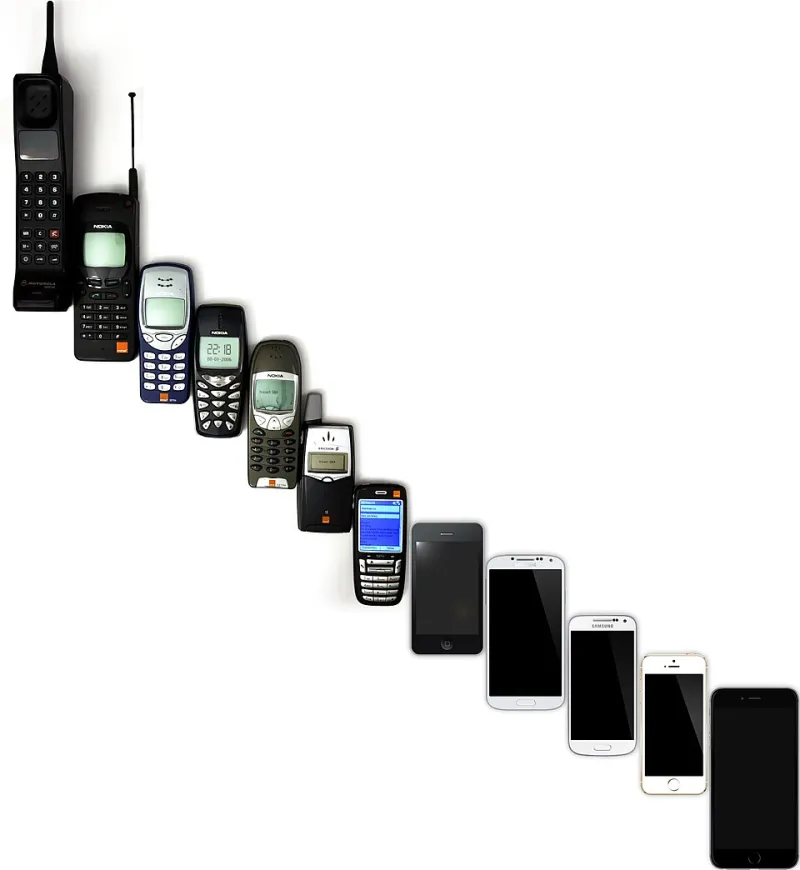
Photo: Jojhnjoy, Public domain, via Wikimedia Commons
Here at GD Vault, we spend a lot of time talking about mobile — APKs, mods, touchscreen tricks, all of it. But one question that keeps coming up in our community is whether mobile is actually the right place to invest serious practice time, or whether PC is where the real progression happens.
Honest answer? It depends entirely on what you want out of the game. But the differences between platforms are bigger than most players realize, and picking the wrong one for your goals can cost you months of misdirected effort. Let's get into it.
The Controls Question: Touch vs. Click
This is where most platform debates start, and for good reason — the input method fundamentally changes how GD feels to play.
On PC, you're working with a mouse click or keyboard tap. The input is precise, the latency is low, and there's no physical ambiguity about whether your press registered. Most competitive players and serious level completers use keyboard, and the consistency it offers is a real mechanical advantage on tight, frame-perfect sections.
On mobile, you're tapping a glass screen. The experience has improved dramatically as phones have gotten better — a modern flagship with a 120Hz display and a responsive digitizer is genuinely a capable GD machine. But there's still a ceiling. Touchscreens introduce a layer of variability that doesn't exist with a keyboard. Sweaty fingers, screen protectors, tap position drift — these are real factors that affect performance on harder content.
For players targeting Demon-tier levels and above, this difference is meaningful. Many levels in the Extreme Demon range were designed and tested on PC, and some sections are noticeably harder to execute on touch input. That's not a dealbreaker, but it's something to factor in.
Visual Fidelity and Performance
On a decent gaming PC, Geometry Dash runs at high framerates with crisp visuals and zero stuttering. The game isn't graphically demanding by modern standards, so even modest hardware delivers a smooth experience. High refresh rate monitors (144Hz and above) give you a visual fluidity that makes the game feel different — some players swear it affects their timing.
Mobile is more variable. On a flagship iPhone or a high-end Android device, the experience is genuinely excellent. On mid-range or older hardware, you'll encounter frame drops, stuttering, and visual degradation that can directly impact your performance. If you're playing on a $200 Android phone from 2021, you're not playing the same game as someone on an iPhone 15 Pro — and that matters when you're trying to perfect a 60-second run.
One area where mobile actually holds its own: portability. The ability to grind attempts on a tough level during a commute, lunch break, or between classes is a real advantage for building raw attempt volume. Muscle memory in GD is built through repetition, and mobile lets you get reps in situations where a PC setup isn't an option.
Mod Access and Customization
This is where platform choice gets genuinely significant for a certain type of player.
On PC, the modding ecosystem for Geometry Dash is deep and well-established. Practice mode enhancements, click trackers, level analytics tools, and visual customization options are all available through mods, and they've become standard tools for serious players trying to improve efficiently.
On mobile, mod access exists but it requires more effort to set up. That's literally what GD Vault is here for — we cover the best APK options, how to install them safely, and what modifications are actually worth your time on Android. The mobile modding scene has matured a lot in 2024, and players who know where to look can access meaningful quality-of-life improvements that rival what PC players use.
If you're an iOS user, the situation is more restrictive. Apple's ecosystem makes unofficial modifications significantly harder to access and maintain, which is a real practical disadvantage for players who want to customize their experience.
Community and Social Opportunities
The Geometry Dash community is genuinely welcoming regardless of platform, but there are social dynamics worth understanding.
The competitive and content creation sides of GD are PC-dominated. Most prominent creators, speedrunners, and top-tier completers play on PC. If your goal is to participate in the serious competitive scene or build a content presence around high-level play, PC is where the action is.
That said, the mobile community is active, large, and growing. There are mobile-specific Discord servers, subreddit threads, and content creators who specifically focus on the touchscreen experience. For players who want community without the hardware investment of a gaming PC setup, mobile provides a real social ecosystem.
Level creation is another dimension worth considering. The GD editor is available on both platforms, but the PC version with a mouse is significantly more practical for serious level building. Precision placement, complex decoration work, and the kind of detailed design that goes into rated levels is genuinely cumbersome on a touchscreen. If level creation is part of your long-term GD goals, this tilts the scales toward PC.
The Honest Platform Recommendation
Here's how we'd break it down based on player type:
You should prioritize mobile if: You want GD in your pocket, you're focused on enjoying the game casually or at a moderate difficulty level, you already have a solid Android device, or you want to engage with the mobile-specific community and mod scene. Mobile GD in 2024, especially with the right APK setup, is a legitimately great experience.
You should prioritize PC if: You're targeting Extreme Demons or competitive play, you want to get into serious level creation, you're building content around high-level GD, or you want access to the deepest modding tools without workarounds.
The real answer for dedicated players: Both. Start on whichever platform is most accessible to you right now and build your fundamentals. Most serious players end up engaging with both at different times for different purposes — mobile for grinding attempts on the go, PC for focused sessions on harder content.
The platform debate sometimes obscures the more important point: consistent, intentional practice matters more than which screen you're tapping. But knowing what each platform does well — and where each one has limits — helps you make smarter decisions about where to put your hours. And in GD, your hours are the most valuable resource you've got.