Smooth Operator: Does Playing Geometry Dash at 120fps Actually Make You Better?
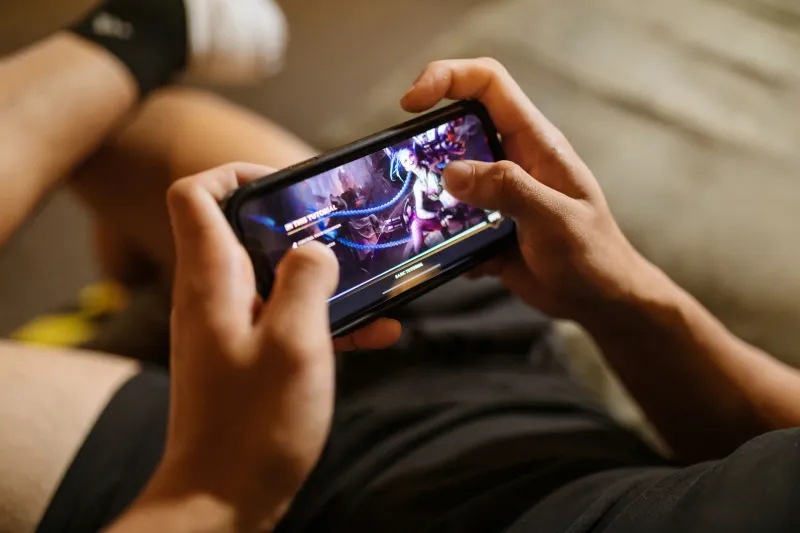
Walk into any Geometry Dash Discord server and bring up frame rates. Within about four minutes, someone will swear their win rate jumped the moment they switched to a 120Hz phone. Someone else will call that nonsense. Both of them will have opinions strong enough to start a minor argument.
So who's right? That's what we're here to figure out. At GD Vault, we spend a lot of time thinking about how your setup affects your game — and this particular debate is worth unpacking carefully, because the answer is messier than either camp wants to admit.
What Frame Rate Actually Does in a Rhythm Game
Geometry Dash is, at its core, a timing game. You're reacting to obstacles that move at a fixed speed, pressing a button at the exact right moment, and repeating that hundreds of times per level. The margin for error on harder demons can be measured in fractions of a second.
Frame rate matters here because it determines how often your screen actually updates with new information. At 60fps, your display refreshes 60 times per second — meaning each frame lasts roughly 16.7 milliseconds. At 120fps, that drops to about 8.3 milliseconds per frame. At 240fps (available on a small number of flagship Android devices), you're down to around 4.2ms per frame.
In practical terms, a higher frame rate means you see obstacles update more frequently, which can make fast-moving objects appear smoother and reduce the visual blur that happens during quick movements. For a game where your character is zipping across the screen at high speed, that added clarity isn't nothing.
But here's the important caveat: Geometry Dash's internal physics engine runs on its own tick rate, which is separate from your display's refresh rate. The game was originally built around 60fps logic. Robtop has made updates over the years — including the 2.2 update's physics improvements — but the core timing system isn't automatically transformed just because your phone can push more frames.
The Perception Problem
Here's where it gets genuinely interesting. Players who switch to high-refresh displays almost universally report that the game feels faster and more responsive. That perception is real — but it isn't always the same thing as actually being faster.
What 120Hz displays genuinely improve is input latency. Most modern high-refresh phones also feature faster touch sampling rates (sometimes 240Hz or higher), meaning the screen registers your tap more quickly than a standard 60Hz device. That's a measurable, real-world advantage — we're talking anywhere from 10 to 30 milliseconds of reduced input lag depending on the device.
For context, 30 milliseconds is the difference between a frame-perfect click and a slightly early one on some of GD's trickiest timings. So yes, that matters.
But the visual smoothness itself? That's where it gets more subjective. Your brain processes smoother motion as more predictable, which can reduce the cognitive load of tracking obstacles. Some players report that this makes it easier to "read" upcoming patterns, especially on levels with dense visual noise. Others say they adapted to 60fps years ago and genuinely don't feel a meaningful difference.
What Competitive Players Are Actually Using
We reached out to several players in the US competitive GD community to get a read on their setups. The results were pretty scattered.
A handful of top-tier demon grinders run flagship Android phones — devices like the Samsung Galaxy S series or the ASUS ROG Phone line — specifically because of the high refresh rate and touch responsiveness. One player described switching from a mid-range 60Hz phone to a 120Hz model as "the single biggest improvement I made to my game that wasn't actually practice."
But others were more skeptical. A few competitive players still grind on older mid-range devices, some capped at 60fps, and they're clearing Extreme Demons just fine. The consensus from that group was pretty consistent: fundamentals and practice time matter infinitely more than display specs. "I've seen people clear top-50 demons on phones most people would consider trash," one player noted. "The frame rate thing is real but it's not magic."
The honest takeaway? High refresh rate is a ceiling-raiser, not a floor-setter. It can help good players perform slightly more consistently. It won't turn a casual player into a demon-clearer.
Device Comparisons: What the Specs Actually Look Like
If you're shopping for a phone with GD performance in mind, here's a rough breakdown of what different tiers actually offer:
Budget phones (under $250): Most still cap at 60Hz. Perfectly playable for everything up to harder Insane-level content. You'll feel some input lag, but it's manageable.
Mid-range phones ($250–$500): This is where 90Hz and 120Hz displays start showing up consistently — phones like the Google Pixel 7a, OnePlus Nord series, and Samsung Galaxy A series. For most players, this is the sweet spot. You get the smoothness benefits without paying flagship prices.
Flagship phones ($500+): 120Hz is basically standard here, with some models hitting 144Hz or 165Hz. Devices like the Samsung Galaxy S24 series and the iPhone 15 Pro also feature adaptive refresh rates and extremely fast touch sampling. If you're grinding Extreme Demons seriously, this tier has real advantages.
Gaming-specific phones: The ASUS ROG Phone 8 and similar devices push 165Hz with 720Hz touch sampling. These are overkill for most players, but they represent the absolute ceiling of what mobile GD performance can look like.
Is It Worth Chasing?
Honest answer: it depends entirely on where you are in the game.
If you're still working through Normal and Hard levels, your device is not the limiting factor. Your timing, your pattern recognition, and your practice consistency are what matter. A $1,200 phone won't fix a fundamental rhythm issue.
If you're pushing into Demon territory and regularly losing runs to what feel like hair-trigger timings, upgrading to a 120Hz mid-range device is a reasonable investment — especially if your current phone is old and showing its age in other ways too. The input latency improvements are real and measurable at that level of play.
If you're genuinely competing at the top tier — attempting Extreme Demons, streaming your runs, or trying to place on leaderboards — then yes, a high-refresh flagship or gaming phone is worth considering. The marginal gains at that level can matter.
But chase fundamentals first. Always. The frame rate wars are real, but they're fought at the margins — and the players winning those fights got there through practice, not hardware.
The Bottom Line
The 120fps crowd isn't wrong. Higher refresh rates do reduce input latency, do make the game look smoother, and do seem to help players track patterns more easily. Those are real benefits backed by physics, not just vibes.
But the gap between 60fps and 120fps is smaller than the loudest voices in the community make it sound. Most of the perceived improvement comes from touch sampling rate improvements and reduced input lag — not the visual frame rate itself. And none of it replaces the hours you need to log actually learning levels.
Upgrade your phone if you need to. Just don't expect the hardware to do the grinding for you.